Prediction markets are exploding.
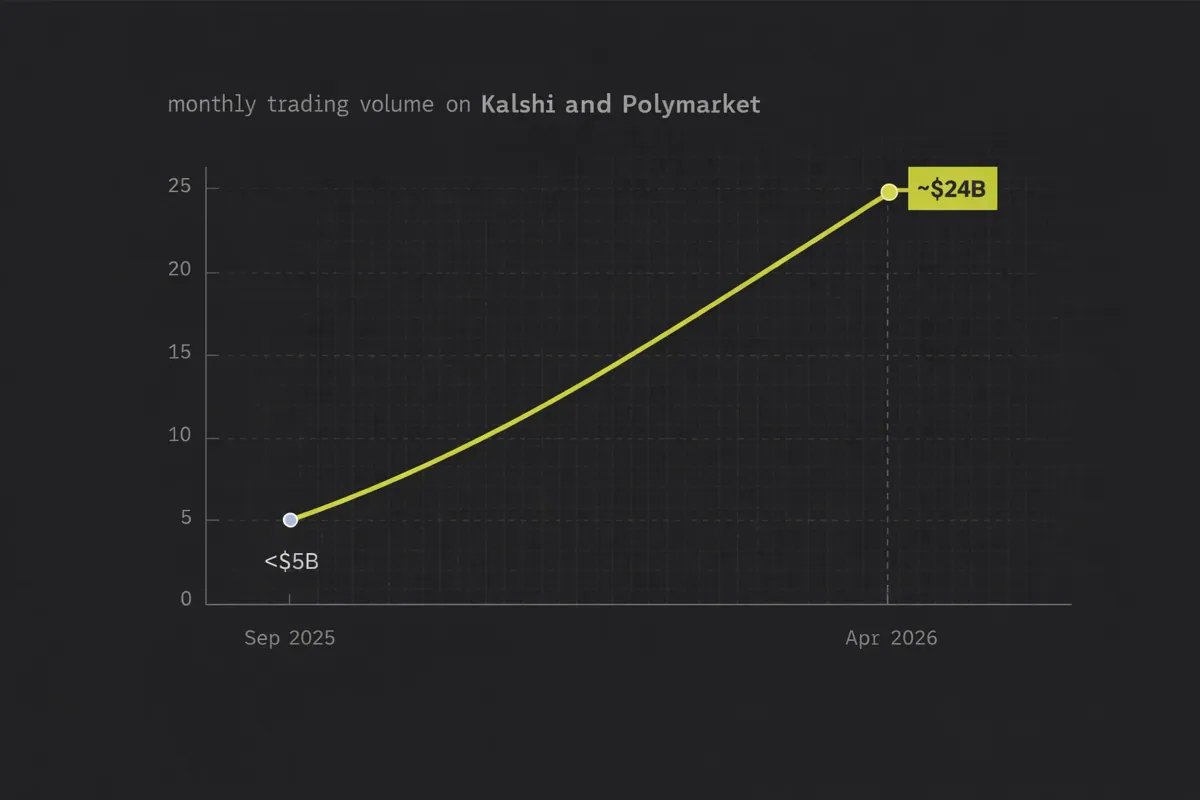
Combined monthly trading volume on Kalshi and Polymarket jumped from under $5B in September 2025 to about $24B in April 2026, with sports, politics, and crypto dominating activity.
If you’re building a trading UI, analytics dashboard, or social betting app, you need fast, reliable prediction market data — odds, liquidity, volume, user positions — all updated in real time.
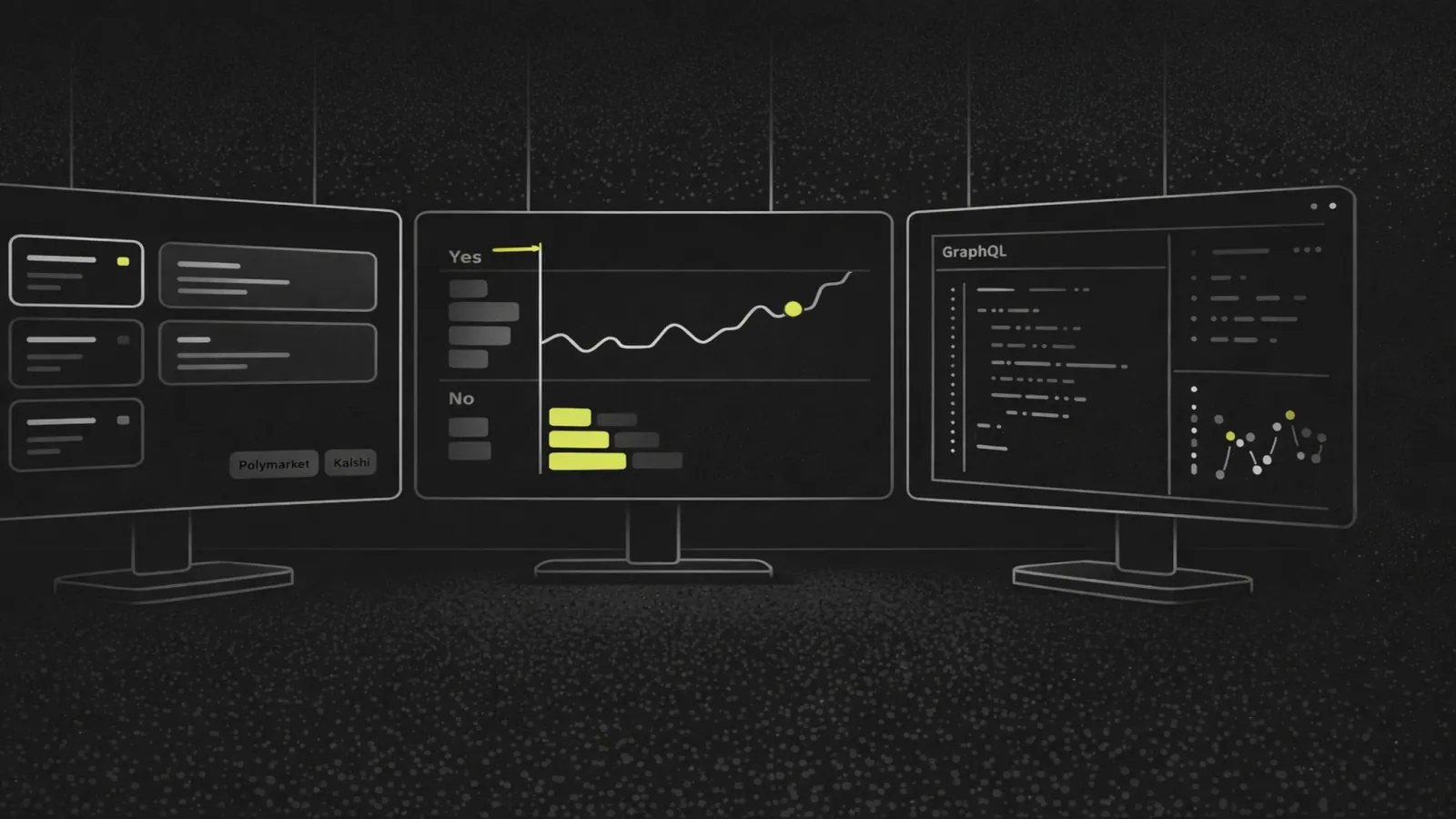
This tutorial walks through an end-to-end example of building a production-style prediction market frontend using Codex’s prediction market APIs.
We’ll cover:
- Discovering events and markets
- Displaying odds, liquidity, and volume
- Showing user positions and PnL
- Wiring up real-time updates via subscriptions
Codex powers data for Coinbase, TradingView, Uniswap, Magic Eden, Rainbow, and more, and brings the same infrastructure-grade approach to prediction markets.
1. Prerequisites: What You Need Before You Start
Before writing any code, make sure you have the right setup.
1.1 Access to Codex Prediction Market APIs
Codex’s prediction market data is currently in beta and available for:
- Venues: Polymarket (onchain) and Kalshi
- Plans: Growth or Enterprise (prediction endpoints are gated)
You’ll need:
- A Codex account at codex.io
- An API key with access to prediction market endpoints
- Ability to call GraphQL over HTTP and WebSockets
1.2 Frontend Tech Stack
We’ll assume a modern JavaScript stack:
- Framework: React (Next.js or Vite work equally well)
- Client: Apollo Client or urql for GraphQL
- Transport:
- HTTPS for queries
- WebSocket for subscriptions (real-time updates)
You can adapt the examples to other stacks, but the patterns remain the same.
2. Core Concepts: Events, Markets, and Trader Views
Codex models prediction markets using a clear hierarchy designed for trading-style frontends.
2.1 Events vs. Markets
In Codex:
Events are containers for related questions
- Example: “2026 US Presidential Election”
- Contains multiple markets (e.g., winner, popular vote margin)
Markets are the individual tradable questions
- Typically binary outcomes (YES/NO or outcome A/B)
- Have odds, liquidity, volume, open interest
Codex recommends an event-first discovery pattern, then drilling down into markets.
2.2 Stats and Ranking
Codex exposes trading-grade stats designed for UI ranking.
Key endpoints and fields:
detailedPredictionEventStats- Aggregated volume, liquidity, open interest across all markets in an event
- Windowed metrics: 5m, 1h, 4h, 12h, 1d, 1w, plus all-time
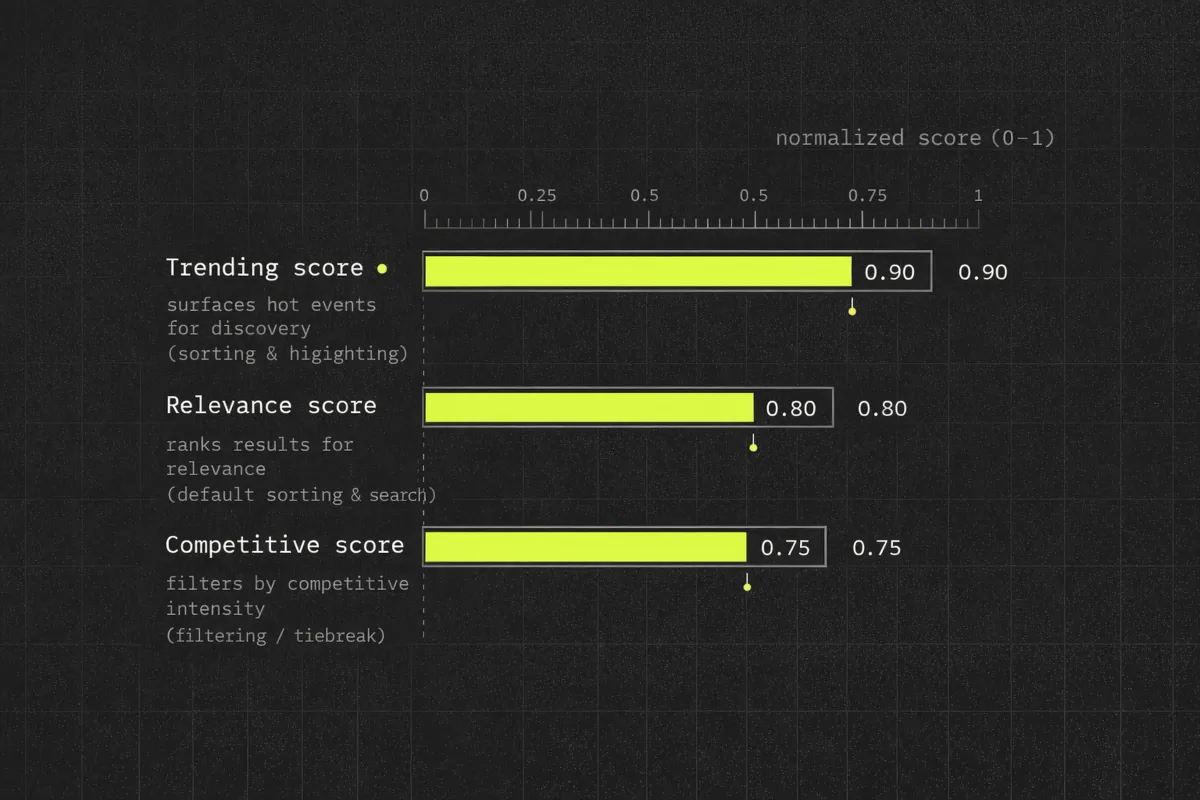
- Scores: trending, relevance, competitive
detailedPredictionMarketStats- Market-level volume, liquidity, open interest, trades, unique traders
- The same windows (5m–1w) plus score changes
These metrics let you sort by:
- What’s hot (trending score)
- What’s important (relevance score)
- Where odds are tight or uncertain (competitive score)
2.3 Positions and Charts
Codex also covers user-centric and charting views:
predictionTraderHoldings- Current open positions for a trader
- Updated from Polymarket onchain trades and Kalshi websocket data
predictionMarketBars/predictionEventBars- OHLC-style bars for markets or events
- Pair with
onPredictionEventBarsUpdatedfor streaming charts
This is enough to power a full portfolio and chart experience.
3. Architecture: Query for Initial Load, Subscribe for Real-Time
Codex’s docs recommend a simple but powerful pattern:
- Queries for initial page load
- Subscriptions for live state
This avoids aggressive polling and keeps your UI synced with onchain changes.
3.1 High-Level Page Layout
We’ll implement three main views:
Event Discovery Page
- Uses
filterPredictionEvents - Sorted by trending/relevance
- Uses
Event Detail / Market List Page
- Uses
filterPredictionMarketsanddetailedPredictionMarketStats - Shows odds, liquidity, and 24h volume
- Uses
Trader Portfolio Page
- Uses
predictionTraderHoldingsandpredictionMarketPrice - Shows live PnL and exposure
- Uses
Each page will:
- Run a query on load
- Attach subscriptions for live updates
4. Step 1: Discover Prediction Events
The event discovery page is your homepage or “Browse” section.
4.1 Querying Events with Filters
Use filterPredictionEvents to fetch events across Polymarket and Kalshi.
Example GraphQL query:
query DiscoverPredictionEvents {
  filterPredictionEvents(
    venueIn: [POLYMARKET, KALSHI]
    categoryIn: [SPORTS, POLITICS, CRYPTO]
    sortBy: TRENDING_SCORE_DESC
    limit: 20
  ) {
    id
    title
    venue
    category
    marketsCount
    stats: detailedPredictionEventStats {
      window1d {
        volume
        liquidity
        openInterest
        trendingScore
        relevanceScore
      }
      allTime {
        volume
      }
    }
  }
}
Key points:
venueInlets you target Polymarket, Kalshi, or bothcategoryInmaps to sports, politics, crypto (matching current volume trends)sortByuses Codex’s server-side scores, so you don’t need custom ranking logic
4.2 Rendering Event Cards
On the frontend, an event card might show:
- Title and venue
- Category (sports, politics, crypto)
- 1d volume and liquidity for quick scanning
- A badge for “Trending” based on
window1d.trendingScore
Basic React JSX:
function EventCard({ event }) {
  const stats = event.stats.window1d;

  return (
    <div className="event-card">
      <h3>{event.title}</h3>
      <p>{event.venue} · {event.category}</p>
      <p>Markets: {event.marketsCount}</p>
      <p>24h volume: {stats.volume}</p>
      <p>Liquidity: {stats.liquidity}</p>
      {stats.trendingScore > 0.8 && <span>Trending</span>}
    </div>
  );
}
4.3 Adding Real-Time Updates
Attach a subscription to keep events updated as volume/liquidity change.
Codex exposes prediction-specific subscriptions like onPredictionEventBarsUpdated and trade-level hooks.
For event-level trending, use a subscription pattern such as:
subscription OnEventStatsUpdated {
  onDetailedPredictionEventStatsUpdated {
    eventId
    window1d {
      volume
      liquidity
      trendingScore
    }
  }
}
In your client, merge incoming stats into the local cache to re-render cards.
5. Step 2: Drill Down into Markets and Odds
The event detail page shows all markets under one event and surfaces odds and liquidity.
5.1 Querying Markets for an Event
Use filterPredictionMarkets with an eventId filter.
query EventMarkets($eventId: ID!) {
  filterPredictionMarkets(
    eventId: $eventId
    sortBy: LIQUIDITY_DESC
  ) {
    id
    title
    venue
    outcomes {
      id
      name
      lastPrice
      bestBid
      bestAsk
      spread
    }
    stats: detailedPredictionMarketStats {
      window1d {
        volume
        liquidity
        openInterest
      }
    }
  }
}
Important fields for UI cards:
outcomes.lastPrice— display as probability or implied oddsoutcomes.bestBid/bestAsk— useful for trading-focused UIsoutcomes.spread— indicates market tightnesswindow1d.volume/liquidity— 24h activity
5.2 Rendering Market Cards with Odds
Sample JSX:
function MarketCard({ market }) {
  const stats = market.stats.window1d;
  const yesOutcome = market.outcomes[0]; // for binary markets
  const probability = (yesOutcome.lastPrice * 100).toFixed(1);

  return (
    <div className="market-card">
      <h4>{market.title}</h4>
      <p>Venue: {market.venue}</p>
      <p>24h volume: {stats.volume}</p>
      <p>Liquidity: {stats.liquidity}</p>
      <p>Yes odds: {probability}%</p>
      <p>Spread: {yesOutcome.spread}</p>
    </div>
  );
}
5.3 Real-Time Odds and Order Books
Real-time is critical.
Across Polymarket and Kalshi, official docs recommend websockets instead of polling for live orderbooks, and Codex follows the same pattern.
Codex supports:
- GraphQL subscriptions over WebSockets
- Prediction-specific hooks such as
PREDICTION_TRADE_EVENT - Order book and metrics webhooks for server-side consumers
To keep odds live in the UI, subscribe to price updates:
subscription OnMarketPriceUpdated($marketId: ID!) {
  onPredictionMarketPriceUpdated(marketId: $marketId) {
    marketId
    outcomes {
      id
      lastPrice
      bestBid
      bestAsk
      spread
    }
  }
}
In your client:
- Attach the subscription when the market list page mounts
- Update the cache per
marketIdand re-render cards
This gives users live odds without manual refreshes.
6. Step 3: User Positions and Live PnL
A realistic prediction market frontend needs a portfolio view.
6.1 Querying Trader Holdings
Use predictionTraderHoldings to fetch current open positions.
query TraderHoldings($traderId: String!) {
  predictionTraderHoldings(traderId: $traderId) {
    venue
    marketId
    outcomeId
    size
    avgEntryPrice
    notional
  }
}
Notes:
- Polymarket positions are derived from onchain trades and holders
- Kalshi positions are built from their websocket data; token holders aren’t public
6.2 Computing Live PnL with Market Prices
Pair holdings with predictionMarketPrice to compute unrealized PnL.
query MarketPrices($marketIds: [ID!]!) {
  predictionMarketPrice(marketIds: $marketIds) {
    marketId
    outcomes {
      id
      lastPrice
    }
  }
}
PnL calculation (simplified long YES position):
function computePnL(holding, pricesByOutcomeId) {
  const currentPrice = pricesByOutcomeId[holding.outcomeId];
  const entry = holding.avgEntryPrice;
  const size = holding.size;

  const pnl = (currentPrice - entry) * size;
  return pnl;
}
Render a portfolio table:
- Columns: market title, venue, side (YES/NO), size, entry price, current price, PnL
- Sort by PnL or notional exposure
6.3 Streaming Positions and PnL
For live updates:
- Subscribe to
PREDICTION_TRADE_EVENTto update holdings when a user trades - Subscribe to
onPredictionMarketPriceUpdatedto re-compute PnL as prices move
Pattern:
- Query initial holdings and prices
- Attach subscriptions
- On trade events, update holdings
- On price events, recompute PnL
This gives you a real-time portfolio akin to a trading terminal.
7. Step 4: Charting Odds and Liquidity Over Time
Charts help users understand how odds evolved and how liquidity flows across events.
7.1 Market-Level Bars
Use predictionMarketBars for OHLC-style bars on a single market.
query MarketBars($marketId: ID!, $interval: PredictionBarInterval!) {
  predictionMarketBars(marketId: $marketId, interval: $interval) {
    timestamp
    open
    high
    low
    close
    volume
  }
}
Feed this into any charting library (e.g., Recharts, Highcharts) for an odds-over-time chart.
7.2 Event-Level Bars
Use predictionEventBars to aggregate across all markets in an event.
This is ideal for “event-level sentiment” charts.
query EventBars($eventId: ID!, $interval: PredictionBarInterval!) {
  predictionEventBars(eventId: $eventId, interval: $interval) {
    timestamp
    volume
    openInterest
  }
}
For real-time chart updates, subscribe to onPredictionEventBarsUpdated and append incoming bars to your series.
8. Putting It All Together: End-to-End Flow
Let’s summarize the flow for a simple but realistic prediction market frontend.
8.1 Homepage: Event Discovery
- Query
filterPredictionEventsfor trending sports, politics, crypto events - Display event cards with 24h volume and liquidity
- Subscribe to event stat updates for live trending badges
8.2 Event Detail: Market List and Odds
- Query
filterPredictionMarketsfor the selected event - Surface odds (lastPrice), spread, 24h volume, and liquidity
- Attach subscriptions for market price and orderbook changes
8.3 Portfolio: User Positions and PnL
- Query
predictionTraderHoldingsfor the logged-in user - Query
predictionMarketPricefor the held markets - Compute unrealized PnL per position
- Subscribe to
PREDICTION_TRADE_EVENTand price updates to keep PnL live
8.4 Charts: Event and Market History
- Use
predictionMarketBarsfor per-market odds charts - Use
predictionEventBarsfor aggregated event sentiment and volume - Subscribe to
onPredictionEventBarsUpdatedfor streaming charts
8.5 Infrastructure Benefits
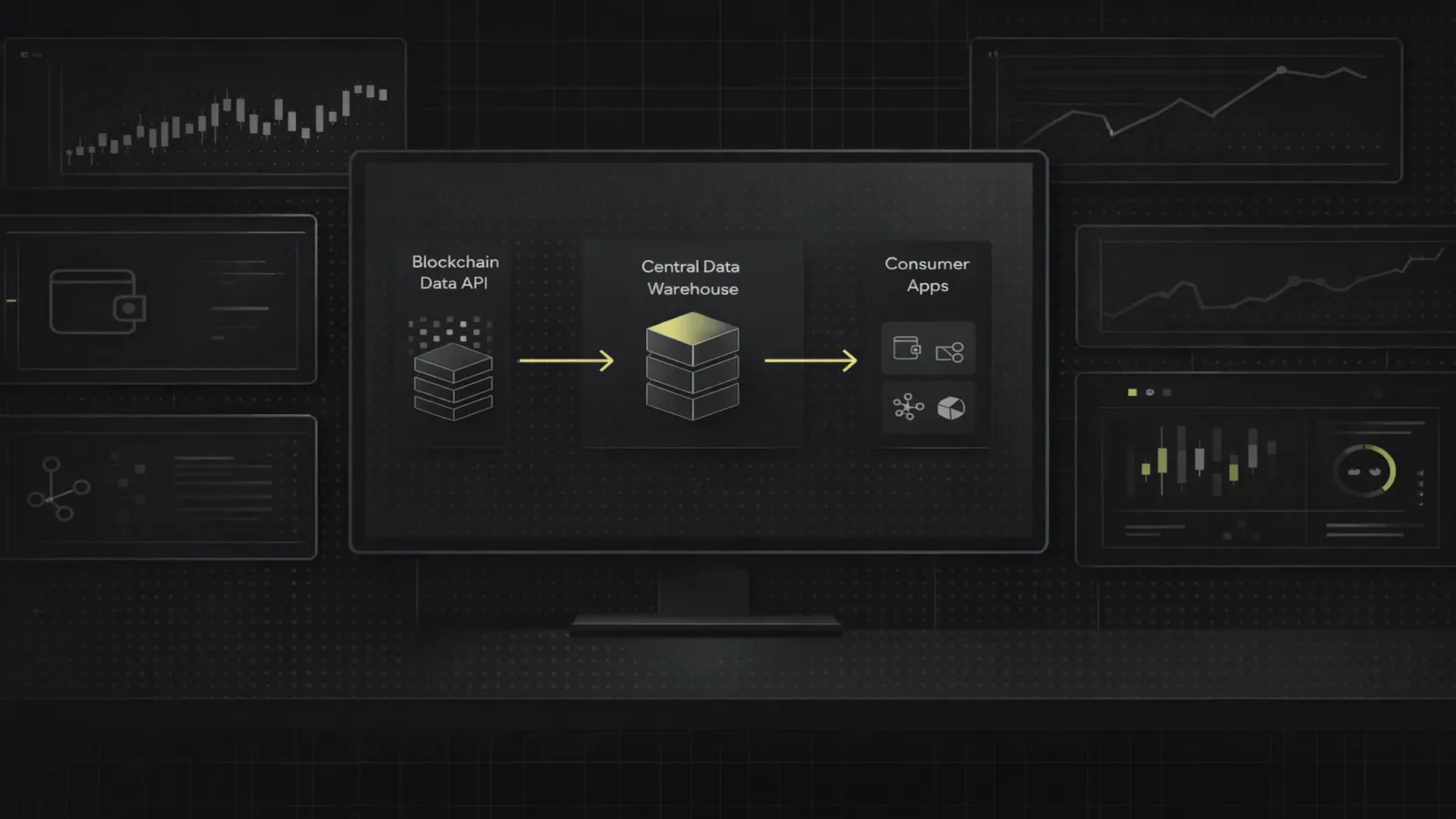
By using Codex instead of venue-native APIs directly:
- You avoid maintaining separate indexers and websocket clients for Polymarket and Kalshi
- You get normalized, enriched data via one GraphQL-style API
- You benefit from Codex’s scale: 70M+ tokens, 80+ networks, 700M+ wallets, thousands of tx/sec, sub-second latencies
This lets product and engineering teams focus on UX, not plumbing.
9. Actionable Tips for Production-Ready Frontends
A few practical recommendations for teams shipping at scale.
9.1 Latency and Uptime
- Use subscriptions for odds and trades instead of frequent polling
- Benchmark Codex response times in your region; aim for sub-200ms user-perceived latency
- Implement retry and backoff for websocket reconnections
9.2 Caching and Pagination
- Cache event and market lists at the edge (CDN) with short TTLs
- Use cursor-based pagination for
filterPredictionEventsandfilterPredictionMarkets - Hydrate the client cache from server-rendered data for fast first paint
9.3 Risk and UX
- Clearly show venue (Polymarket vs Kalshi) for regulatory disclosures
- Provide tooltips for odds vs implied probabilities
- Surface liquidity and spread so users understand execution risk
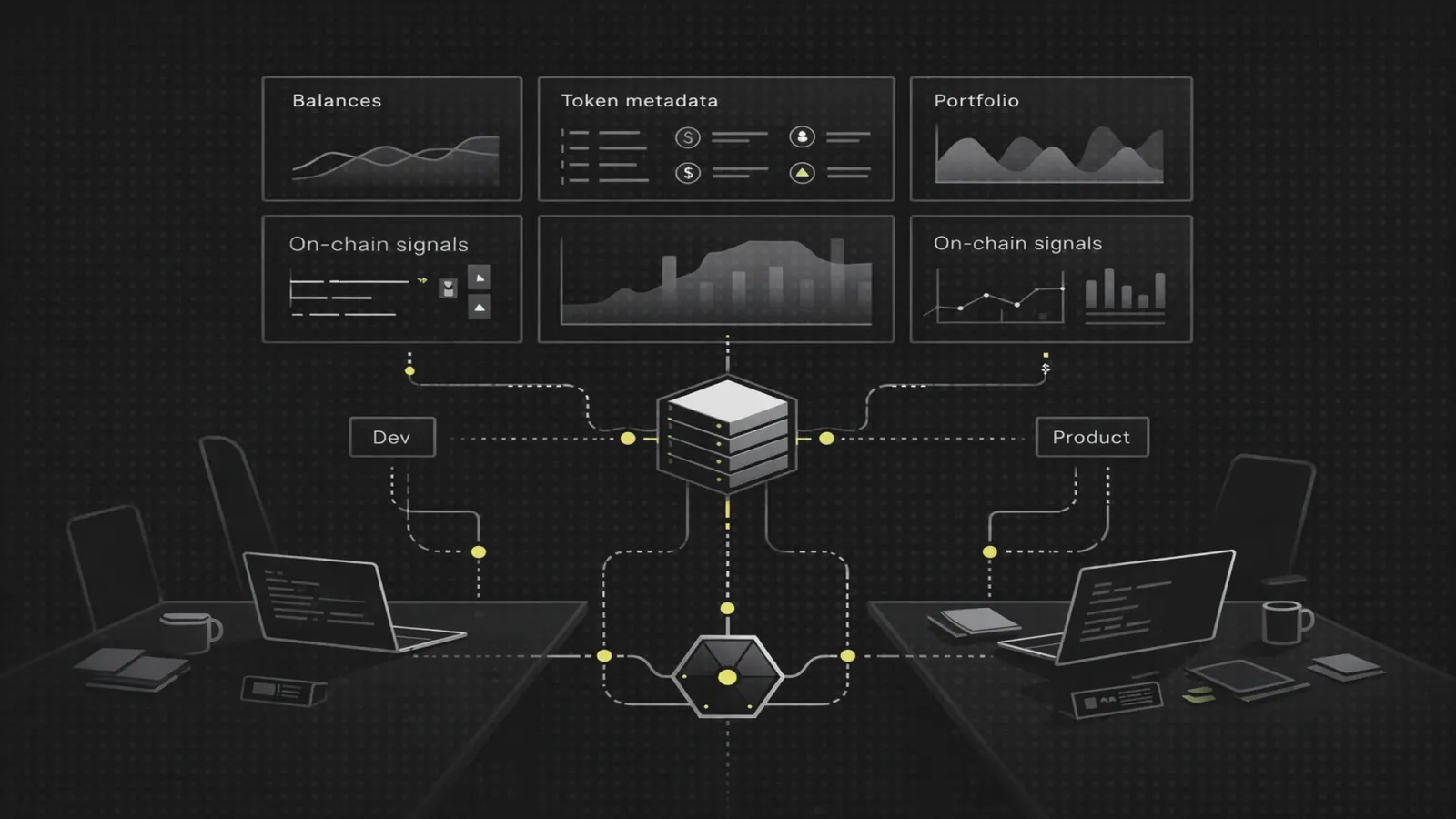
9.4 Vendor Consolidation
Codex also exposes:
- Token prices and OHLC data
- Wallet balances across chains
- Scam filtering and token metadata
You can use the same API for:
- Onchain portfolio views
- Hybrid CEX/DEX dashboards
- Token-aware consumer apps that mix crypto and prediction markets