What is a multichain explorer?
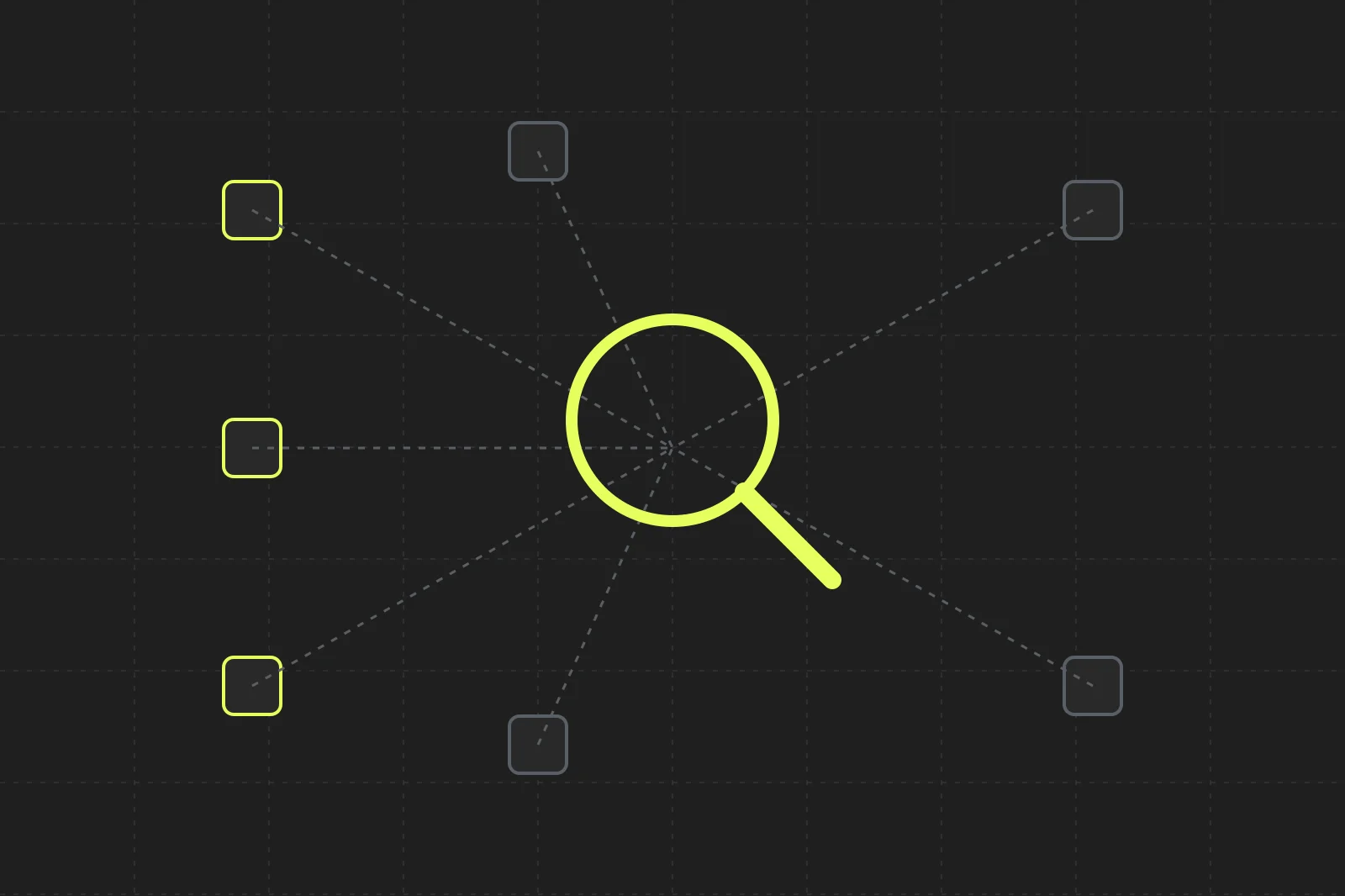
A multichain explorer (or multichain block explorer) lets you search addresses, transactions, tokens and blocks on many blockchains from one search box, instead of opening a separate explorer for each chain. Codex Scan is one: as of October 2026 it covers 57 networks, including Ethereum, Solana, Base, BNB Chain, Arbitrum and Polygon. One query searches all of them, and every page adds prices, DEX trades, holders and labels from Codex.
The short version:
- Paste anything: an address, transaction hash, block number, token name or ENS name.
- Search every network at once: Scan shows every chain where the address exists, with its native balance on each.
- Get decoded pages: transactions read as plain actions ("Swap 23.07 SOL for 2,226.91 USDC on Orca"), not raw hex.
- Browse across chains: top tokens, launchpads and DEXes for every network on one page.
Why use a multichain explorer instead of one explorer per chain?
Most explorers cover one chain. That works until you hold assets on several chains, or you're tracing funds that bridged from Ethereum to Base to Arbitrum. With single-chain explorers you have to know which chain to check before you can check it. On EVM chains the same address can exist on dozens of networks, so guessing is slow.
A multichain explorer flips that. You search first, and it tells you where the address, token or transaction lives.
| Single-chain explorer | Multichain explorer (Codex Scan) | Data API (Codex) | |
|---|---|---|---|
| Best for | Deep work on one chain | Looking things up across chains | Building apps on onchain data |
| Search scope | One network | 57 networks in one query | 80+ networks |
| Market data | Varies | Prices, liquidity, holders, DEX trades, wallet PnL | Same data, as GraphQL |
| Who uses it | Anyone | Traders, researchers, developers debugging | Developers |
| Output | Web pages | Web pages | Queries, subscriptions and webhooks |
How do I search a wallet across every chain?
Paste the address or ENS name into the search box at scan.codex.io. Scan resolves ENS names and then lists every network where that address exists. For each one it says whether the address is a wallet or a contract and shows its native balance.
For example, searching vitalik.eth resolves to 0xd8da…6045 and, as of October 2026, lists around 50 networks, with balances like ETH on Arbitrum, POL on Polygon and MON on Monad. Click any row to open that network's address page.
The same works for contracts. Searching the UNI token address shows it as a token on Ethereum, a contract on other networks and a plain wallet on a few more. That helps you spot when an address on one chain has nothing to do with the "same" address on another.
When an address exists on only one network, Scan skips the list and opens that address page directly.
If you're building this into a product, our guide to the multi-chain wallet API covers how to fetch balances across networks yourself.
How do I find which chain a transaction is on?
Paste the hash. Scan finds it and redirects straight to the transaction page, whether it's an EVM hash or a Solana signature. You don't have to pick a network first.
Transaction pages open with a one-line transaction action, like "Swap 0.84 WETH for 0.0276 cbBTC on CLPool". The tabs depend on the chain:
- EVM chains: decoded event logs, internal transactions, a full call trace and every contract touched with its verification status. See a Base swap.
- Solana: decoded instructions with inner calls and the compute each one used, SOL and token balance changes with USD values, program logs and DeFi events. See a Solana swap on Orca.
Block numbers are the one exception. The same number exists on every chain, so Scan asks you to pick a network.
How do I find a token's contract address on each chain?
Type the token name or symbol. Searching USDC lists USDC on each network where Codex indexes it, including Ethereum, Solana, BNB Chain, Base and Arbitrum, each with its own contract address. Open one to see price, market cap, liquidity, holders, creator and verified source code.
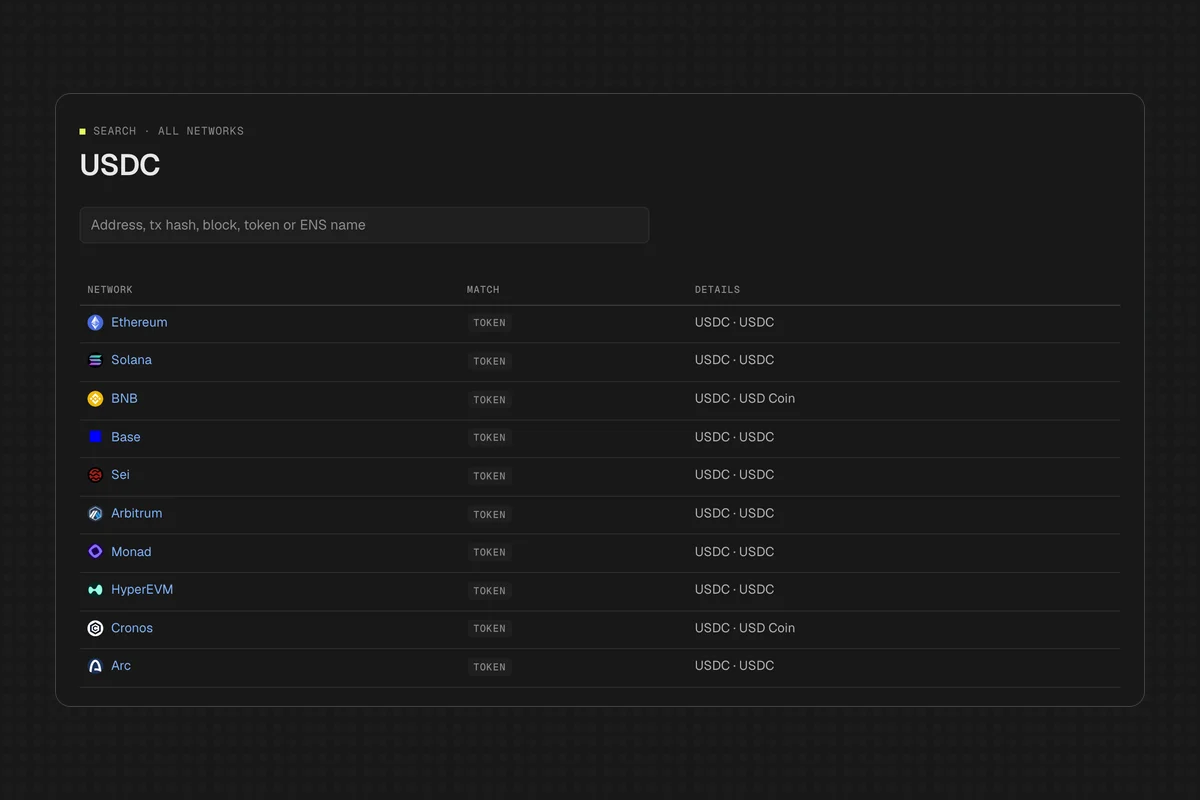
Always confirm the contract address before you trade or send funds. Copycat tokens often reuse a popular name and symbol. Scan's token lists hide potential scams and low-liquidity tokens by default, but the contract address is the only identifier that can't be faked. For how Codex scores token risk, see scam detection.
Which networks does Codex Scan support?
As of October 2026, the Scan homepage lists 57 networks, ranked by 24-hour DEX volume. They include:
- Major chains: Ethereum, Solana, BNB Chain, Base, Arbitrum, Polygon, Optimism, Avalanche
- Newer chains: Monad, MegaETH, HyperEVM, Berachain, Unichain, Sonic, Plasma, Abstract
- Solana VM networks: Solana and Fogo
Every network has its own home page with live blocks, gas, DEX volume and top tokens. Try /eth, /sol or /base. Chain IDs work as URLs too: scan.codex.io/8453 redirects to Base.
Scan doesn't cover Bitcoin. Tron, Sui, Aptos and Starknet have placeholder pages that link to each chain's native explorer.
Can I browse tokens, launchpads and DEXes across all chains?
Yes. Three pages rank activity across every network at once:
- All tokens: top, trending and new tokens with a network column, price, volume, liquidity, market cap and holders.
- All launchpads: launchpads ranked by tokens launched in 24 hours, with graduation and migration counts. Pump.fun, Four.meme, Zora and Clanker are all here.
- All exchanges: DEXes across chains ranked by 24-hour volume.
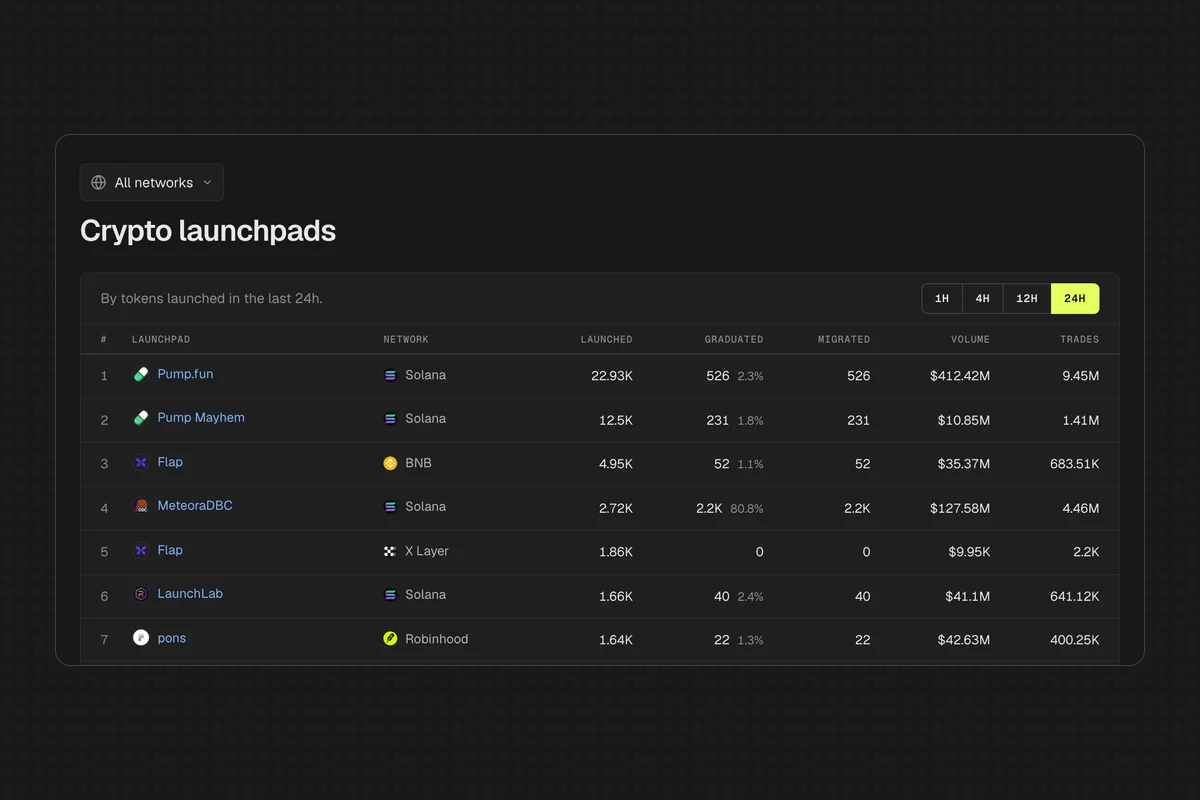
Each network has its own version too, like pump.fun on Solana with its launch funnel and tokens about to graduate.
Where does a multichain explorer get its data?
Running nodes and indexers for dozens of chains is the hard part of a multichain explorer. Scan reads chain data from RPC nodes and adds prices, DEX trades, holders and labels from the Codex API. That's the same API that powers trading apps like TradingView, Coinbase and Uniswap.
So everything you see in Scan is available programmatically across 80+ networks: filterTokens for token lists, balances for wallet holdings, holders for holder tables. The networks page lists every chain. If you're weighing whether to build this yourself, start with what a blockchain indexer is and onchain data APIs vs raw RPC.
For chain-specific walkthroughs, see how to use a Base explorer and how to track a Solana wallet.